

Page last updated: August 19, 2019
All pages copyright © 2019 by Pinyon Publishing




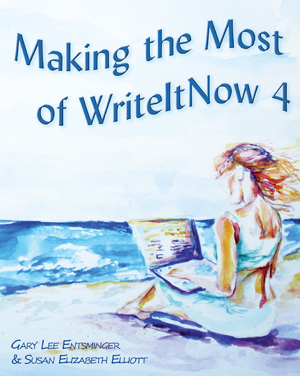
MAKING THE MOST OF WRITEITNOW 4
By Gary Lee Entsminger & Susan Elizabeth Elliott
WriteItNow 4 is the ideal writing software
for novice and experienced writers.
MAKING THE MOST OF WRITEITNOW 4 is your key
to effective, efficient use of the software.
With state-of-the-art writing tools (chapter, scene, character, location, event, note, and idea editors, spell checker, and thesaurus), creativity features (idea generators, graphs, prompts, add-ons), and classy formatting/export options, WriteItNow 4 takes you from first idea to final manuscript with EASE.
Making the Most of WriteItNow 4 enables you to optimize your writing experience. You'll quickly learn how to use WriteItNow's essential tools and features. You'll get advice from established authors, while being encouraged to let your personal writing style come out. Step-by-step examples of all major features show you WriteItNow in ACTION.
Instead of learning by trial and error, let MAKING THE MOST OF WRITEITNOW 4 be your guide and enhance your writing experience.
GARY L. ENTSMINGER is a writer, naturalist, computer programmer, and poet. He has written a novel, nine programming books, over 100 scientific and technical articles, and computer software that helps scientists understand patterns of biodiversity.
SUSAN E. ELLIOTT is a writer, ecologist, and artist. She studied botany and French at Humboldt State University and has a Ph.D. in biology from Dartmouth College. Making the Most of WriteItNow 4 is her third book.

- Write and store complete novels
- Edit and rearrange chapters with a Story Board
- Create background details and personalities for characters and graph their relationships
- Establish reasonable Writing Targets
- Fine tune your writing with word counts, readability tools, a crossword capable thesaurus, and numerous Web Tools
- Create Web, File, and Research links
- Use, Create, and Edit Prompts Sets
With MAKING THE MOST OF WRITEITNOW 4, you’ll learn how to:
- Create Web, File, and Research links
- Use, create, and edit Prompts Sets
- Generate characters and background notes
- Manage reference and submission data
- Prepare manuscripts for submission or publication
- Navigate WriteItNow menus, dialogs, Tree and Tab views
- Import stories into WriteItNow that you've started in another program
Review of MAKING THE MOST OF WRITEITNOW 4:
By Ravenshead Services:
“WriteItNow 4 includes extensive help which describes each of the program's functions. This book doesn't duplicate this information. Instead it provides practical tips and help from a writer's perspective which describe how to use the software when writing a book.”
EXCERPTS
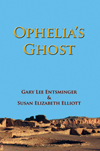 Ophelia’s Ghost (2008): A novel exploring the Anasazi, Ancient Cultures, the Art
of Memory, Shakespeare, UFOs, and the Moon. (6"x9" paperback, 292 pages, $15.00).
Ophelia’s Ghost (2008): A novel exploring the Anasazi, Ancient Cultures, the Art
of Memory, Shakespeare, UFOs, and the Moon. (6"x9" paperback, 292 pages, $15.00).
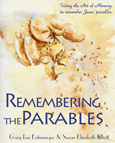 Remembering the Parables (2010): Using the ancient Art of Memory to remember the
parables of Jesus. (7.5"x9.25" paperback, black and white paintings, 160 pages, $18.00).
Remembering the Parables (2010): Using the ancient Art of Memory to remember the
parables of Jesus. (7.5"x9.25" paperback, black and white paintings, 160 pages, $18.00).
 Fall of ’33 (2013): A sequel to Ophelia's Ghost, set in the Blue Ridge Mountains
in 1933. (6"x9" paperback, 214 pages, $17.00).
Fall of ’33 (2013): A sequel to Ophelia's Ghost, set in the Blue Ridge Mountains
in 1933. (6"x9" paperback, 214 pages, $17.00).
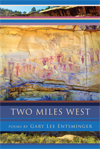 Two Miles West (2015) Poems (6"x9" paperback, 112 pages, $16.00).
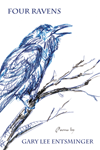 Four Ravens (2019) Poems (6"x9" paperback, 118 pages, $17.00).
Page last updated: August 19, 2019
All pages copyright © 2019 by Pinyon Publishing